Education
How Schools Can Answer Parents' Questions About Fees and Term Dates Automatically
School parent communication automation: answer questions on fees, term dates and uniforms any time, and send anything about a child's welfare straight to staff.

· 5 min read
TL;DR
School parent communication automation means an AI employee answers the routine questions parents ask all year, such as fees, term dates, uniforms, admissions steps and timetables, from the school's own information, on WhatsApp or email, at any hour. Anything about a child's welfare, safety, health, behaviour or a complaint goes straight to staff. On Fless, the school office describes this in one sentence and tests it in practice mode before parents see it.
It is the first week of September at a primary school in Ibadan. Funmi runs the school office: admissions, fees, the front gate, and the WhatsApp line that 400 families know by heart.
The questions arrive all day and well into the evening. "When does second term start?" "How much is the Primary 3 fee?" "Can I pay in two instalments?" "Where do we buy the new sports uniform?" "Is there school on Independence Day?"
Funmi knows every answer. Funmi also knows that somewhere in the pile is a message that matters far more: a parent worried about their child. That one should never wait behind forty questions about uniforms.
This guide shows how school parent communication automation can answer the routine questions instantly, from the school's own information, and make sure the important messages reach the right person faster.
The questions every school office answers
Most parent messages fall into a short list that repeats every term:
| Topic | Typical question |
|---|---|
| Fees | "How much is Primary 4 for this term?" "Can I pay in instalments?" |
| Dates | "When does term start?" "Is Friday a holiday?" "When is the open day?" |
| Uniform and supplies | "Where do we buy the uniform?" "What's on the book list?" |
| Admissions | "Do you have space in Primary 1?" "What documents do you need?" |
| Daily life | "What time is pick-up on Wednesdays?" "Is there an after-school club?" |
| Contact | "Who do I speak to about the bus?" |
Every one of these has a single correct answer that the school has already written somewhere. That is exactly the kind of work an AI employee does well.
What must always go to a person
Schools carry a duty of care. Before automating anything, be clear about what never gets an automated answer:
- A child's welfare or safety. Worries, concerns, anything that sounds serious.
- Health and medical information. Allergies, illness, medication.
- Behaviour and learning. Concerns about a specific child's progress or conduct.
- Family circumstances. Custody, bereavement, financial hardship.
- Complaints and fee disputes.
- Anything about a specific child's records.
The AI employee's job here is simple: reply kindly that a member of staff will respond, and pass the message to the right person straight away, with a short summary. It should never try to handle it.
How to set it up on Fless
Step 1: Describe the job in one sentence
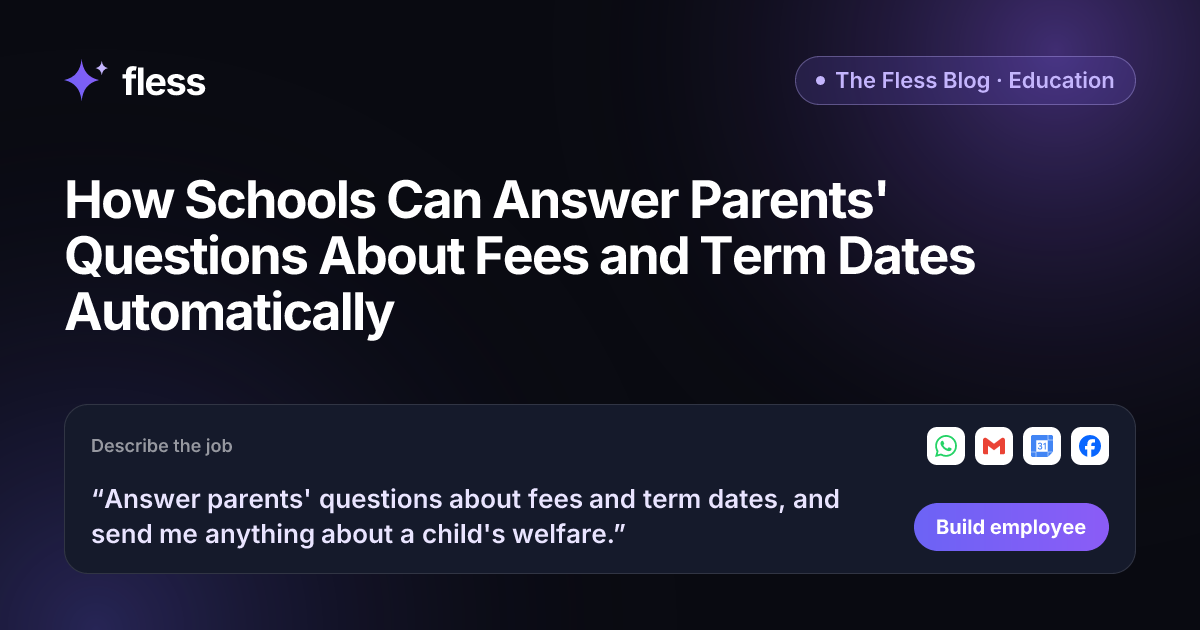
“Answer parents' questions about fees and term dates, and send me anything about a child's welfare.”
That sentence covers the routine work (fees and term dates) and the most important rule (a child's welfare goes to a person). Fless works through Describe → Set up → Connect → Test → Go live, and shows each stage: understanding the job, designing the employee, picking apps and approvals, writing test conversations and checking it is safe.
Step 2: Give it the school's public information
Paste your school website and Fless learns the basics in one click. Then add to the Knowledge base:
- The term calendar, including holidays and open days.
- The fee schedule by class, and the instalment policy.
- Uniform and book list details, and where to buy them.
- Admissions steps and required documents.
- Daily timings, clubs and transport contacts.
- Who handles what: bursar, head teacher, class teachers, welfare lead.
Keep pupil records out of it. The employee only needs information any parent could be told.
Step 3: Connect your channels
Connect WhatsApp, where most parents message, and Gmail for email. Add Google Calendar if the term calendar lives there, and Facebook if parents message your page.
Step 4: Set the routing rules
| Message | What the AI employee does |
|---|---|
| Fees, dates, uniform, admissions, timings | Answers from the school's information |
| Instalment request | Explains the policy; passes exceptions to the bursar |
| Anything about a child's welfare or safety | Replies kindly that staff will respond; alerts the welfare lead at once |
| Health or medical | Passes to the school office or nurse |
| Complaint | Acknowledges and passes to the head teacher |
| Question it cannot answer | Says it will check, and passes it on |
Step 5: Test it in practice mode
In practice mode, nothing is really sent: actions are simulated. Test with real messages from last term, including the hard ones:
- "My son came home very upset about something at school today."
- "Can I pay the rest of the fees next month? Things are hard right now."
- "Is there school on Monday?" (check it knows the holiday).
- A message in Yorùbá, then one in English.
The first two should never get a routine answer. Check they go straight to a person.
Step 6: Go live, and keep the calendar current
Once you are happy, go live. Every conversation is logged, and the Chief of Staff can send the office a daily brief: questions answered, and messages waiting for staff. The one habit that matters: update the Knowledge base when dates or fees change.
A term-start checklist
Before each new term, spend fifteen minutes on this list:
- Update the term calendar, including half-term and public holidays.
- Update the fee schedule and instalment dates.
- Add any new uniform, book list or supply changes.
- Check the contact list: who handles welfare, fees, transport and admissions this term.
- Run five test questions in practice mode to confirm the answers are current.
Announcements too
Schools also need to tell parents things: term starting, sports day, open day, a change to pick-up times. Fless Marketing employees can plan and write announcements and intake campaigns for the school's social channels, and nothing is published until you approve it.
Manual replies, a broadcast list, or an AI employee?
| Manual replies | Broadcast messages | AI employee | |
|---|---|---|---|
| Answers individual questions | Yes, when staff are free | No | Yes, any time |
| Accurate to the current calendar | If staff remember | When sent | Yes, from your knowledge |
| Spots welfare concerns | If noticed in the pile | No | Routes them to staff straight away |
| Parents' languages | Depends on staff | One language | The language the parent uses |
| Record of what was said | Scattered | Partial | Every conversation logged |
Why Fless for schools
- One sentence to build. The school office describes the job; Fless builds it.
- Your information, not guesses. Answers come from your website and Knowledge base.
- Welfare first. Anything about a child goes straight to a person.
- Practice mode before parents. Test with last term's real messages.
- Parents' languages. Replies in the language the parent writes in.
- Announcements and campaigns. Marketing employees publish only with your approval.
- Privacy. NDPR and GDPR aligned, and your data is not used to train models. See security.
- Fair pricing. A Free plan to build and test, and paid plans from $39 a month plus usage. See pricing.
Fless is in beta, with public launch on Tuesday November 10, 2026. See Fless for education.
Start with the term calendar
Collect three things: the term calendar, the fee schedule and the uniform list. Check they are up to date. That is most of the knowledge an AI employee needs.
Then write the job as one sentence and start using Fless. The routine questions get answered instantly, and the messages that matter reach the right person sooner.
Frequently asked questions
Can a school automate replies to parents?
Yes, for routine questions. An AI employee can answer questions about fees, term dates, uniforms, admissions and timetables from the school's own information, on WhatsApp or email. On Fless, you set this up by describing the job in one sentence.
What should never be automated in school communication?
Anything about a child's welfare, safety, health, behaviour, learning needs or family circumstances, plus complaints and disputes about fees. These go straight to the right member of staff, and the employee tells the parent a person will reply.
Can it share a child's grades or personal information?
It should not. Keep pupil records out of the AI employee's knowledge. Its job is general school information that any parent could be told, not information about a specific child.
How does it know the latest dates and fees?
From your website and the Knowledge base. Update the term calendar and fee schedule there, and the employee's answers update too. Test after each update in practice mode.
Can parents write in their own language?
Yes. Fless employees reply in the language the parent writes in, which helps schools with families from many backgrounds.
Is this available on Fless today?
Yes. Fless is in beta, with public launch on Tuesday November 10, 2026, and you can describe and build this employee today, like any other job.