Legal
AI for Law Firms: Automating Client Intake Without Giving Legal Advice
AI client intake for law firms: answer new enquiries, collect case details and book consultations, with a hard rule that the AI never gives legal advice.

· 5 min read
TL;DR
AI client intake for a law firm means an AI employee replies to new enquiries quickly, explains what the firm does and how consultations work, collects the facts a lawyer needs, and books a consultation, while never giving legal advice. Lawyers review every matter, run conflict checks and decide whether to take a case. On Fless, you describe this in one sentence, including the no-advice rule, and test it in practice mode before any client sees it.
Amara is a partner at a three-lawyer firm in Accra. The firm is good at what it does: property, employment and small business matters. Its intake is not.
New enquiries arrive by email, WhatsApp and the website form. Some are urgent. Many are not the firm's kind of work. Most need the same first conversation: what happened, who else is involved, what the person wants, and when they can come in.
The lawyers do these first conversations between court dates and client meetings. Replies take days. Some prospective clients go to the firm that answered first.
This guide shows how AI client intake for a law firm can handle that first conversation quickly and consistently, collect what a lawyer needs, and book the consultation, with one rule that never bends: the AI does not give legal advice.
Why intake is a bottleneck for small firms
- Enquiries arrive at random. Evenings, weekends, during hearings.
- First conversations are repetitive. The same questions, every time, before any legal work starts.
- Lawyers' time is expensive. An hour on intake is an hour not spent on client work.
- Slow replies lose clients. People with legal problems are often anxious and contact several firms.
- Details get lost. Facts arrive in pieces across emails and calls.
The line an AI must never cross
Legal intake has a bright line that other industries do not. Write it into the job before anything else:
| The AI employee may | The AI employee must never |
|---|---|
| Explain the firm's practice areas | Tell someone what the law says about their situation |
| Explain how consultations work and what they cost | Predict an outcome or say whether they have a case |
| Collect facts, dates and the names of other parties | Advise on deadlines, rights or next legal steps |
| Book a consultation with the right lawyer | Agree to represent anyone |
| Say when a matter is outside the firm's areas | Promise confidentiality terms beyond the firm's approved wording |
When a client asks a legal question, the employee replies with wording your firm approves, such as: "That's an important question for the lawyer at your consultation. I can book you in this week." Then it does exactly that.
How to set it up on Fless
Step 1: Describe the job in one sentence
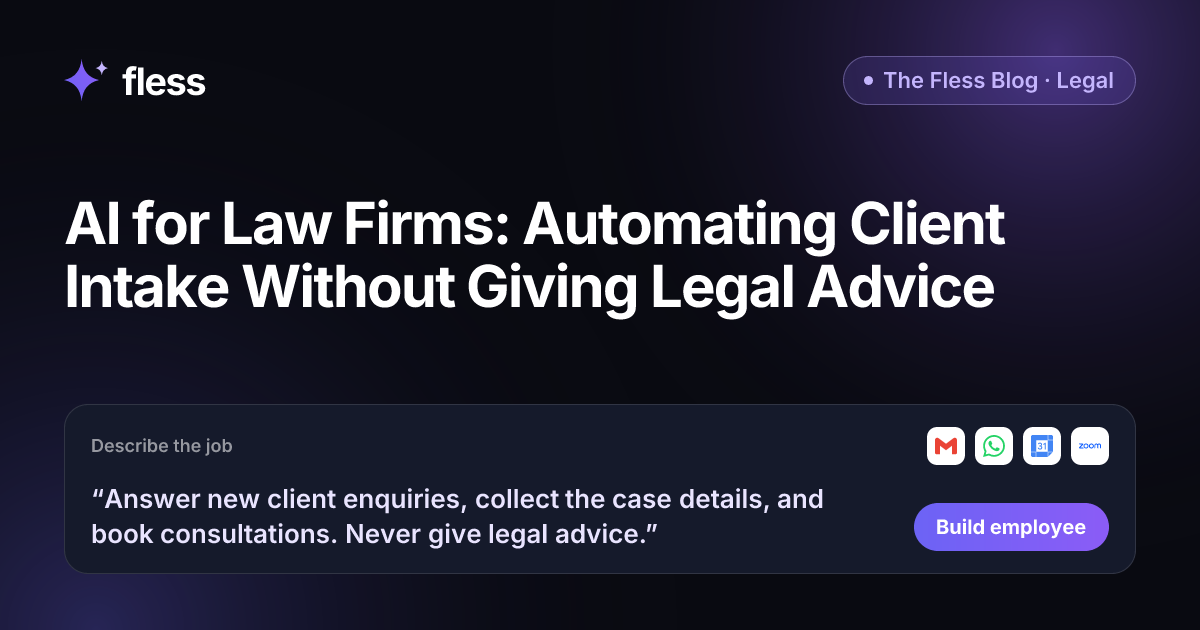
“Answer new client enquiries, collect the case details, and book consultations. Never give legal advice.”
That sentence includes the rule that matters most. Fless works through Describe → Set up → Connect → Test → Go live, and shows each stage: understanding the job, designing the employee, picking apps and approvals, writing test conversations and checking it is safe.
Step 2: Give it the firm's public information and approved wording
Paste your firm's website and Fless learns the basics in one click: practice areas, lawyers and location. Then add to the Knowledge base:
- Practice areas you take on, and matters you do not.
- How consultations work: length, cost, online or in person, what to bring.
- Which lawyer handles which area.
- Approved wording for legal questions, for "this does not create a lawyer-client relationship", and for urgent matters.
- The facts to collect for each practice area.
Step 3: Decide what to collect, and what not to
Collect only what a lawyer needs to prepare and to run a conflict check:
- Name and contact details.
- The type of matter and a short description in the client's own words.
- Key dates (for example, when something happened or a deadline they mention).
- Names of other parties involved, for the conflict check.
- How urgent it is, in the client's view.
Ask clients not to send documents until the firm confirms it can act, unless your process says otherwise.
Step 4: Connect your channels and calendar
Connect Gmail and WhatsApp for enquiries, Google Calendar for each lawyer's availability, and Zoom if you offer online consultations. If you charge for consultations, connect a payment app such as Stripe or Paystack, with approval before any link is sent.
Step 5: Set the routing rules
| Enquiry | What the AI employee does |
|---|---|
| Within the firm's areas | Collects details and books a consultation with the right lawyer |
| Outside the firm's areas | Says so politely; suggests they seek another firm (using approved wording) |
| Urgent (e.g. a court date this week) | Flags it to a lawyer immediately |
| Asks a legal question | Uses approved wording; books a consultation |
| Existing client | Passes to their lawyer |
| Complaint about the firm | Passes to the managing partner |
Step 6: Test it hard in practice mode
In practice mode, nothing is really sent: actions are simulated. Test with the questions clients really ask:
- "My landlord wants me out by Friday. Is that legal?"
- "Do I have a case against my former employer?"
- "How much will this cost in total?"
- "I have a hearing tomorrow, can someone help?"
The answers to the first two must never contain legal advice. The fourth must reach a lawyer straight away.
Step 7: Go live and review weekly
Once you are happy, go live. Every conversation is logged. Each week, a lawyer reads a sample of intake conversations to check the line was never crossed. The Chief of Staff can send a daily brief of new matters and booked consultations.
How to measure whether it works
Track a few simple numbers for a month before and after:
- Time to first reply for new enquiries.
- Enquiries that became consultations.
- Lawyer hours spent on first conversations.
- Intake conversations a lawyer had to correct. This should be close to zero, and any that cross the advice line should lead to a rule change straight away.
Confidentiality and data
Law firms handle sensitive information, so be deliberate:
- Collect the minimum needed to book and run a conflict check.
- Keep matter files out of the intake employee's knowledge.
- Know how your data is handled. Fless encrypts data in transit and at rest, keeps workspaces separate, and does not use your data to train models. Security documentation is available under NDA. See our security page.
- Follow your professional rules on advertising, client care and data protection in your jurisdiction.
Why Fless for law firm intake
- One sentence to build, including the no-advice rule.
- Your approved wording. The employee uses your firm's language for sensitive moments.
- Practice mode first. Test with the questions that could go wrong.
- Approvals. Consultation fees and anything unusual wait for a lawyer.
- Routing. Urgent matters and existing clients reach the right person quickly.
- Clients' languages. Replies in the language the client uses.
- A full activity log, exportable by owners.
- Fair pricing. A Free plan to build and test, and paid plans from $39 a month plus usage. See pricing.
Fless is in beta, with public launch on Tuesday November 10, 2026. You can build an employee for any job today, in any department. See the Legal department.
Start with your intake checklist
Write down what a lawyer needs to know before a first consultation, for each practice area. Then write the firm's approved wording for "we can't advise until the consultation".
Turn it into one sentence, with "Never give legal advice" at the end, and start using Fless.
Frequently asked questions
Can a law firm use AI for client intake?
Yes, for the administrative part of intake. An AI employee can reply to new enquiries, explain the firm's practice areas and consultation process, collect the basic facts of the matter and book a consultation. Lawyers do everything that needs legal judgment.
How do you stop an AI from giving legal advice?
Make it part of the job: "Never give legal advice." Then give it approved wording for when clients ask legal questions, such as explaining that a lawyer will advise at the consultation, and test it in practice mode with the questions clients really ask.
Does AI intake create a lawyer-client relationship?
It should not, and the employee should say so. Use wording approved by your firm, for example that the conversation is to arrange a consultation and does not create a lawyer-client relationship. Check your local professional rules.
What about conflict checks and confidentiality?
Conflict checks stay with the firm. The employee can collect the names of other parties so a lawyer can run the check, and should only collect what is needed to book the consultation. Fless encrypts data in transit and at rest, and does not use your data to train models.
Can it take consultation fees?
If your firm charges for consultations, the employee can prepare a payment link through apps such as Stripe or Paystack, and you can require approval before any link is sent.
Is this available on Fless today?
Yes. Fless is in beta, with public launch on Tuesday November 10, 2026, and you can describe and build this employee today, like any other job.