Finance
How to Chase Unpaid Invoices Automatically (and Politely)
How to automate unpaid invoice reminders: a polite schedule that works, payment links in every message, and escalation to you only when it matters.

· 5 min read
TL;DR
To automate unpaid invoice reminders without damaging client relationships, give one AI employee the chasing job: a friendly reminder before the due date, polite follow-ups on a fixed rhythm with a payment link in each, and a hand-over to you when an invoice is badly late or a client disputes it. On Fless, you describe that in one sentence, connect your inbox and accounting app, and keep discounts, payment plans and final notices behind your approval.
Layla's agency in Dubai finished a brand campaign for a client in August. The invoice went out on time. It was due in 30 days. It is now late October.
Layla knows exactly how much is owed. Layla also knows that sending another "just following up" email feels awkward, so it keeps getting pushed to tomorrow. Meanwhile, salaries are due on the 28th, and the agency's cash is sitting in a client's accounts payable queue.
Every small business owner knows this feeling. Chasing money is uncomfortable, so it gets done late, inconsistently, or not at all. This guide shows how to automate unpaid invoice reminders so they go out on time, stay polite, and only come back to you when a real conversation is needed.
Why invoices go unpaid
Most late invoices are not refused. They are forgotten, lost or stuck:
- The invoice went to the wrong person. Or to someone who left.
- It is waiting for approval in the client's own process.
- Nobody reminded them. The due date passed quietly.
- Paying is hard. Bank details in a PDF, no link, no reference.
- You are too busy, or too polite, to chase.
Only a small share of late payments are true disputes. The rest just need a timely, friendly nudge with an easy way to pay.
The real cost of not chasing
- Cash flow. Money you have earned is not in your account when bills are due.
- Time. Checking who has paid, writing reminders and matching payments takes hours each month.
- Awkwardness. The longer you wait, the harder the conversation gets.
- Bad debt. The older an invoice gets, the less likely it is to be paid in full.
A polite reminder schedule that works
Here is a schedule many small businesses use. Adjust the timing to your payment terms:
| When | Message | Tone |
|---|---|---|
| 3 days before due | "A quick reminder that invoice #1042 for AED 18,500 is due on Friday. Here is a link to pay." | Helpful |
| On the due date | "Invoice #1042 is due today. If it's already been paid, thank you, and please ignore this." | Friendly |
| 3 days late | "Just checking invoice #1042 reached the right person. Happy to resend it." | Warm, practical |
| Every 3 days after | Short reminder with the amount, the invoice and a payment link | Polite, consistent |
| 30 days late | Flagged to you, with the full history | Your call |
Three rules make this work:
- Always include a way to pay. A payment link or clear bank details, every time.
- Stop the moment they reply. A human question deserves a human-paced answer, not another automated reminder.
- Escalate to a person at a clear point. After that, it is a relationship conversation.
How to set it up on Fless
Step 1: Describe the job in one sentence
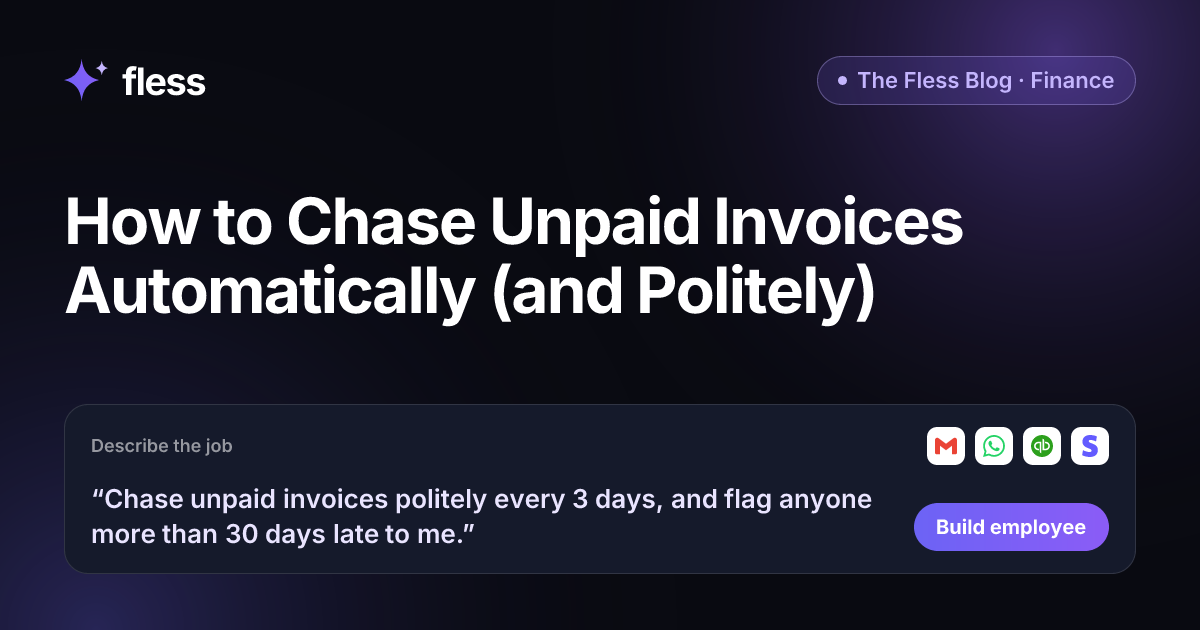
“Chase unpaid invoices politely every 3 days, and flag anyone more than 30 days late to me.”
That sentence sets the rhythm (every 3 days), the tone (politely) and the boundary (anyone more than 30 days late comes to you). Fless works through Describe → Set up → Connect → Test → Go live, and shows each stage: understanding the job, designing the employee, picking apps and approvals, writing test conversations and checking it is safe.
Step 2: Start from the Payment Chaser
Fless has a ready-made Payment Chaser employee for finance. Out of the box, it sends a friendly reminder 3 days before the due date, on the due date, and then weekly, by email and WhatsApp, with a Paystack link to pay. It marks invoices paid in QuickBooks, and any discount, payment plan or final notice needs your approval. Every Monday, it shows you who owes what and for how long.
Adjust it in plain English to match your sentence: every 3 days instead of weekly, a 30-day escalation, your own tone.
Step 3: Teach it your terms and tone
Paste your website and Fless learns your business. Then add to the Knowledge base:
- Your payment terms and late payment policy.
- Bank details, and which payment links to use.
- Clients who should never get automated reminders (for example, your three biggest accounts).
- Your tone: "warm, short, never threatening, always say thank you".
Step 4: Connect your inbox and accounting
Connect Gmail for email reminders and WhatsApp if clients prefer it; see AI employees on WhatsApp for how the connection works. Connect your accounting or payment app, such as QuickBooks, Stripe or Paystack, so the employee knows what is outstanding and can stop chasing the moment an invoice is paid.
Step 5: Set approvals
| Situation | What the AI employee does |
|---|---|
| Invoice due soon or overdue | Sends the scheduled reminder with a payment link |
| Client pays | Stops reminders and marks it paid |
| Client replies with a question | Answers from your knowledge, or passes it to you |
| Client asks for a discount or payment plan | Waits for your approval |
| Client disputes the invoice | Stops chasing and hands it to you |
| More than 30 days late | Flags it to you with the full history |
| Final notice | Never sent without your approval |
Step 6: Test it in practice mode
In practice mode, nothing is really sent: actions are simulated. Load a few real overdue invoices and see what the employee would send:
- An invoice paid yesterday (it should not chase).
- A client who replies "we paid last week" (it should check, not argue).
- A client who asks to split the payment (it should come to you).
- A client who writes in French (it should reply in French).
Words that work, and words to avoid
| Use | Avoid |
|---|---|
| "A quick reminder…" | "Final warning" (unless you approve it) |
| "If this has already been paid, thank you." | "You have failed to pay…" |
| "Here is a link to pay." | Bank details buried in an attachment |
| "Happy to resend the invoice." | Long paragraphs |
| The invoice number and amount | Vague "outstanding balance" |
Why Fless for invoice reminders
- One sentence to build. Or start from the ready-made Payment Chaser.
- Polite by design. You set the tone; it never threatens or invents terms.
- Approvals where they matter. Discounts, payment plans and final notices wait for you.
- Practice mode first. Test on your real overdue invoices before anything is sent.
- Your apps. Gmail, WhatsApp, QuickBooks, Stripe, Paystack and more.
- Any language. Clients get reminders in the language they use.
- A weekly picture. Who owes what and for how long, plus your Chief of Staff's daily brief.
- Fair pricing. A Free plan to build and test, and paid plans from $39 a month plus usage, billed in AED, USD, GBP, EUR, NGN, KES, GHS or ZAR.
Where we are today: Fless is in beta, with public launch on Tuesday November 10, 2026. You can build an employee for any job today, in any department. See the Finance department and pricing.
Start with your oldest invoice
Open your list of unpaid invoices. Sort by age. Look at the oldest three and ask: when did we last remind them, and did we include a way to pay?
Then write the chasing job as one sentence and start using Fless. The money you have already earned should not wait for you to feel ready to ask.
Frequently asked questions
How do I automate unpaid invoice reminders?
Decide a polite schedule (for example, a few days before the due date, on the due date, then every few days or weekly), write the tone you want, and give the job to an AI employee connected to your email or WhatsApp and your accounting or payment app. On Fless, you describe it in one sentence and test it in practice mode first.
How often should I send invoice reminders?
A common rhythm is a reminder a few days before the due date, one on the due date, then every 3 to 7 days. Escalate to a personal message from you after a set point, such as 30 days late. Keep each message short and always include a way to pay.
Will automatic reminders annoy my clients?
Not if they are polite, accurate and easy to act on. Most late payments are forgotten, not refused. A friendly reminder with the amount, the invoice number and a payment link is usually welcome. Stop reminders immediately when a client replies or pays.
What should never be automated when chasing payment?
Discounts, payment plans, final notices and anything involving a dispute or legal action. On Fless, these wait for your approval, and the employee tells the client it is checking with you.
Can it mark invoices as paid?
Yes, when it is connected to your accounting or payment app. Fless has a ready-made Payment Chaser employee that sends reminders with a Paystack link and marks invoices paid in QuickBooks.
Is this available on Fless today?
Yes. Fless is in beta, with public launch on Tuesday November 10, 2026, and you can describe and build this employee today, like any other job.