Hospitality
How Restaurants Can Take Table Reservations on WhatsApp Automatically
How restaurants can take WhatsApp table reservations automatically: check availability, confirm bookings, send same-day reminders and know when you're full.

· 6 min read
TL;DR
A restaurant can take WhatsApp table reservations automatically by giving one AI employee the booking job: answer the request, check the reservation calendar, confirm the table, send a reminder that morning and tell the owner when the night is full. On Fless, you describe that in one sentence, test it in practice mode, and keep large groups and special requests for a person to approve.
It is Friday, 7.40pm, and Ama's restaurant is full. Forty seats, two servers, one kitchen running hot. Ama is behind the bar, pouring drinks and watching the phone light up on the shelf.
"Table for 4 tomorrow at 8?" "Do you have outdoor seating?" "Can I move my booking to 8.30?" "We're 12 people for a birthday next Saturday, can you do it?"
By the time service ends, it is 11.30pm. Three of those guests have already booked somewhere else. The birthday group got no reply at all.
The irony is painful: the busier the restaurant, the more bookings it misses. This guide shows how a restaurant can take WhatsApp table reservations automatically, with an AI employee that books tables while your team looks after the guests in front of them.
Why WhatsApp reservations slip through the cracks
Guests love booking on WhatsApp. It is quick, it is personal, and it is already on their phone. For the restaurant, it creates three problems:
- Requests arrive when you are busiest. Most people plan dinner while you are serving dinner.
- Every booking takes several messages. Date, time, party size, name, any allergies or occasions, then a confirmation.
- There is no single source of truth. Bookings live in chats, a notebook and someone's memory, so forgotten tables happen.
- Double bookings happen when two staff members reply to different guests about the same table.
- No-shows cost money, often because nobody had time to send a confirmation.
Online booking widgets help, but many guests still message you directly. If WhatsApp is where your guests are, that is where the booking should happen.
What an AI reservation employee does
An AI employee for reservations does the same job a good host does on the phone, but on WhatsApp and at any hour:
- Reads the request, even when it is written casually: "2 of us tmrw around 8?"
- Checks availability in your reservation calendar.
- Confirms or offers alternatives: "8pm is full, but I can do 7.15 or 9."
- Collects the details: name, number of guests, occasion and allergies.
- Confirms the booking with a short summary.
- Sends a reminder that morning, asking the guest to confirm.
- Tells you when you are fully booked, so nothing gets oversold.
And it knows its limits. Large groups, private hire and special setups go to the manager for approval.
How to set it up on Fless
Describe the job in one sentence
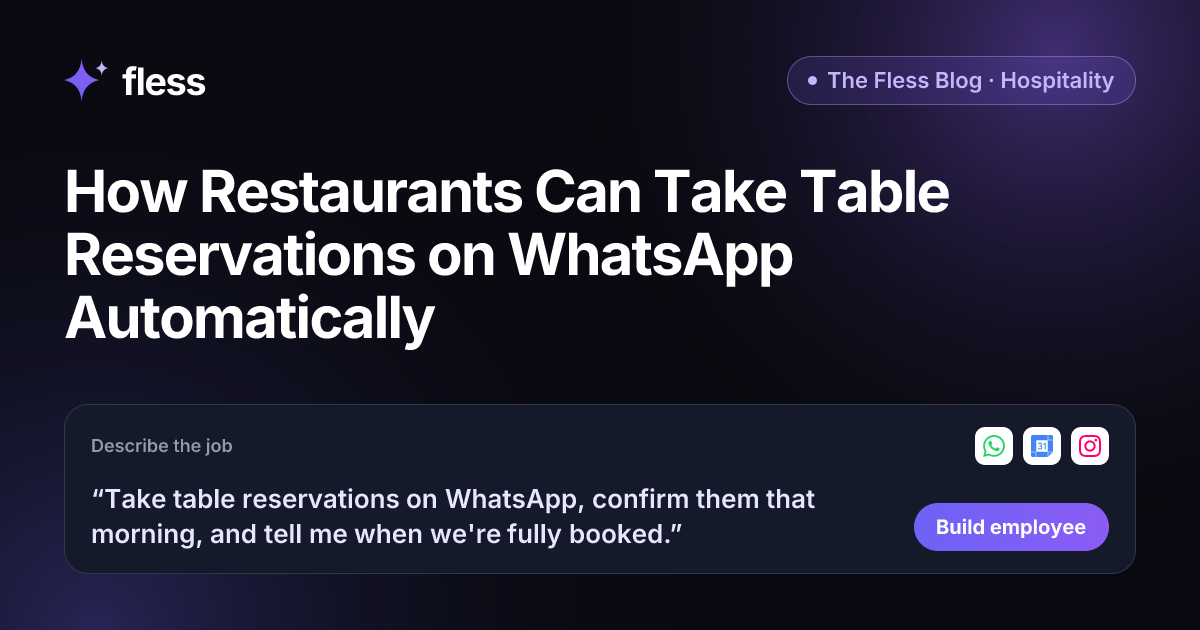
“Take table reservations on WhatsApp, confirm them that morning, and tell me when we're fully booked.”
In our demo, Fless built Tayo, an AI employee with exactly those skills. You can add rules in plain English as you go:
- "Send any booking for more than 10 people to me."
- "We're closed on Mondays."
- "Always ask about allergies."
From the sentence, Fless works through Describe → Set up → Connect → Test → Go live. You can watch each stage: understanding the job, designing the employee, picking apps and approvals, writing test conversations and checking it is safe.
Give it your house rules
Paste your website and Fless learns the basics in one click: menu, location, opening hours and tone. Then add your house rules to the Knowledge base. Good ones to include:
- Opening hours and last seating time, by day.
- Table sizes and how many covers you can seat per slot.
- How long a table is held for late guests.
- Your largest booking without approval (for example, 8 guests).
- Deposit or minimum spend rules for groups, if you have them.
- Dietary information you are confident about, and when to say "please ask the team".
Connect WhatsApp and your calendar
Connect WhatsApp for guest messages and Google Calendar (or the calendar you use for reservations) so the employee can see what is booked. Add Instagram if guests also message you there.
Set approvals for the bookings that matter
Decide what needs a person. Most restaurants start with:
| Booking type | What the AI employee does |
|---|---|
| Up to your group limit, slot available | Confirms on its own and sends a summary |
| Slot full | Offers the nearest times; tells you the night is full |
| Large group or private event | Collects details, then waits for your approval |
| Allergy or special request | Records it and passes it to the team |
| Cancellation | Updates the calendar and lets you know |
Test it in practice mode
Before Tayo talks to a single guest, run it in the sandbox. Pretend to be a guest and try to break it. In practice mode, nothing is really sent: actions are simulated. Try the messages you actually get: the guest who changes the time three times, the one who books for "Saturday" on a Saturday afternoon, and the group of twelve who wants the window table.
Go live, and let it brief you
Once you are happy, go live. Every booking is logged. Your Chief of Staff can send a daily brief with today's bookings, larger groups to prepare for, and any requests waiting for you.
The morning confirmation: small message, big difference
Many restaurants lose tables to people who simply forget. A friendly confirmation on the morning of the booking gives guests an easy way to say "still coming" or "sorry, we can't make it".
That one message means you hear about changes at 10am instead of at 8.15pm, when the table is already empty. The AI employee can then offer the freed table to someone else, or tell you so you can.
Be careful about promises. Reminders do not end no-shows. Track how many you have now, turn on reminders, and compare after a month. That number is your real result.
Chatbot, booking widget or AI employee?
| Booking widget | WhatsApp chatbot | AI employee | |
|---|---|---|---|
| Where guests book | Your website | WhatsApp, via menus | WhatsApp, in normal language |
| Handles "2 of us around 8ish?" | No | Rarely | Yes |
| Offers alternatives when full | Shows a grid | Only if scripted | Yes, conversationally |
| Same-day confirmations | Sometimes | If built | Yes, as part of the job |
| Knows when to call the manager | No | No | Yes, by your approval rules |
A widget is good for guests who visit your website. If your bookings arrive on WhatsApp, a WhatsApp-native assistant fits how your guests already behave.
Beyond reservations
Once reservations run themselves, many restaurants think about the next job: answering catering enquiries, asking for a review after a visit, or planning the week's social posts about specials and events. Each is another one-sentence job. Fless gives you a Chief of Staff that keeps the whole AI team organised and reports back to you.
Why Fless for restaurant reservations
- One sentence to build. No flows to draw. Describe the job; Fless builds and tests the employee.
- It learns your restaurant from your website. Then you add house rules to the Knowledge base.
- Practice mode before guests. Every booking is simulated until you are ready.
- Approvals for the bookings that matter. Large groups and special requests wait for you.
- Your guests' language. It replies in the language the guest uses, which matters in cities full of visitors.
- A Chief of Staff for the whole team. It reports on bookings and sends a daily brief, free on every plan.
- Simple pricing. A Free plan to build and test, paid plans from $25 a month plus usage, billed in your currency (USD, NGN, GBP, EUR, KES, GHS, ZAR or AED).
Being honest about availability: Fless is in private beta and launches publicly on Tuesday November 10, 2026. Marketing employees are live today, which many restaurants use for menus, offers and events. Guest enquiries and bookings are open to early-access teams. See Fless for hospitality or check pricing.
Start with tonight's messages
Look at the WhatsApp messages you missed during last Friday's service. Every one of them was a booking someone wanted to make.
Write the job as one sentence, test it on those exact messages in practice mode, and join the private beta. Your best hours should go to your guests, not your phone. Your team serves the guests in the room. Your AI employee looks after the ones still deciding where to eat.
Frequently asked questions
Can a restaurant take reservations on WhatsApp automatically?
Yes. An AI employee connected to WhatsApp and your reservation calendar can read a booking request, check availability, confirm the table, and send a reminder on the day. On Fless, you set it up by describing the job in one sentence.
What happens when we are fully booked?
The employee tells the guest politely, offers other times you have set as available, and tells you that the night is full. You can also ask it to keep a short waiting list.
How does it handle large groups or special requests?
You decide. A common rule is that bookings above a set group size, private events, and special requests such as birthday setups wait for the manager's approval before they are confirmed.
Will same-day reminders reduce no-shows?
Reminders give guests an easy way to confirm or cancel, so you find out about changes earlier and can offer the table to someone else. Results vary by restaurant, so track your own no-shows before and after.
Do guests know they are talking to an AI?
We recommend being open about it. A short line such as "I'm the restaurant's booking assistant" sets the right expectation, and guests can always ask for a person.
Is guest messaging available on Fless today?
Fless is in private beta, with public launch on Tuesday November 10, 2026. Marketing employees are live today, and guest enquiry and booking roles are open to early-access teams.